

Inline Feature
Overview
The Inline Feature allows specific marketing campaigns to be put in front of the user using banner images as a call to action to push users to either click or scan a QR depending on the platform. This feature provides platform-specific user experiences, with mobile and tablet users clicking to redirect to external links, while CTV and Roku users can scan QR codes or navigate to dedicated landing pages.
Creating an Inline Feature
Navigate to the Media Library in Backstage
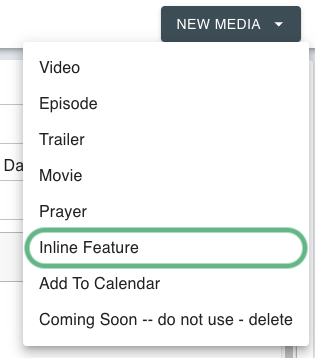
Click "New Media" in the top right corner
Select "Inline Feature" from the dropdown menu
Complete the required fields:
Title: Enter the name of the inline feature as it will appear in the system
Description: Enter details about the campaign or feature (required for creation)
Thumbnail: Upload an image that will serve as a visual reference in the backstage interface. Please reference Platform-Specific Image Requirements for more information on the required images
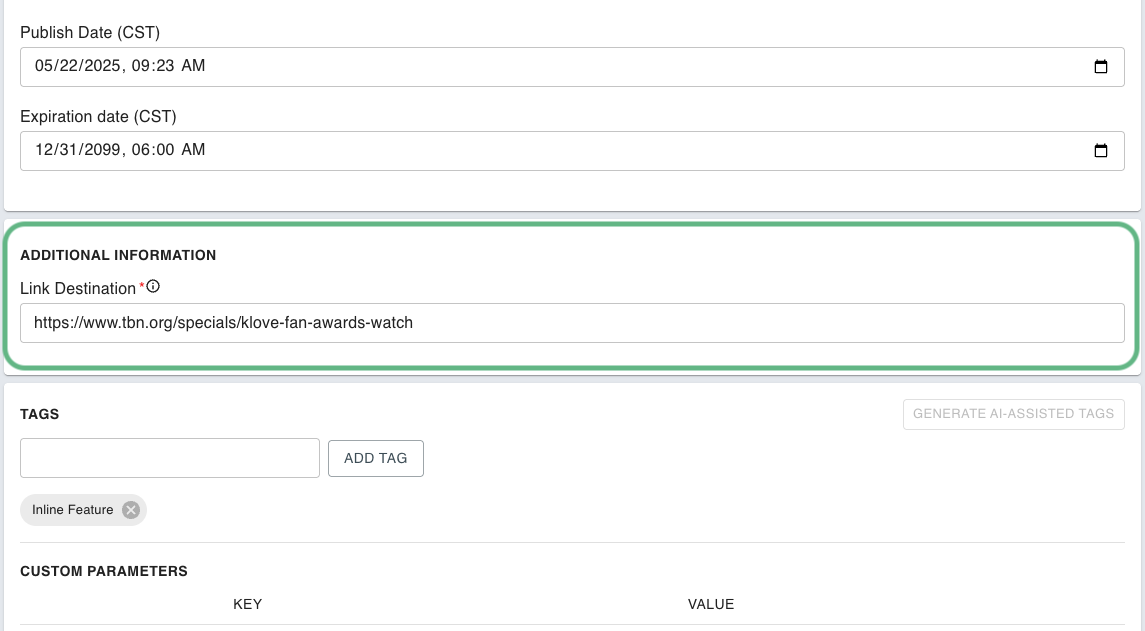
Link Destination Field
In order to properly use the Inline Feature, a destination URL must be added into the Link Destination field under Additional Information. This link will be the destination the Mobile/Tablet feature image redirects to.
Platform-Specific Image Requirements
The Inline Feature requires different images for each platform to ensure optimal user experience. Each platform has specific image keys and resolutions:
Mobile
imgInlineFeature16x7_NoQR
1920 x 840
User clicks on Inline Feature, and is redirected to an attached Link in the device browser.
Tablet
imgInlineFeature16x3_NoQR
1920 x 360
User clicks on Inline Feature, and is redirected to an attached Link in the device browser.
CTV, Roku
imgInlineFeature16x3_QR
1920 x 360
User has two options: 1. User scans QR code on Inline Feature to open an attached Link on their Device. 2. Clicking on the Inline Feature navigates the user to the landing page listed below.
CTV, Roku
imgInlineFeature16x9_QR
1920 x 1080
Landing Page for CTV and Roku containing a QR code the user scans to redirect to attached link on users device browser.
Web
imgInlineFeature16x2
1920 x 240
User clicks on Inline Feature, and is redirected to an attached Link in the device browser.
Inline Feature Playlist Logic
The Inline Feature playlist streamlines banner content management between content rails. Instead of repeatedly updating the same Inline Feature asset with new graphics, names, and descriptions for each change, users can now add multiple Inline Features as individual media items to this dedicated playlist. Apps and Web are built to only display the asset in the 1 spot of the playlist, offering greater flexibility. This approach allows users to prepare new Inline Features on own their schedule and control exactly when they appear by simply repositioning items in the playlist.
Last updated